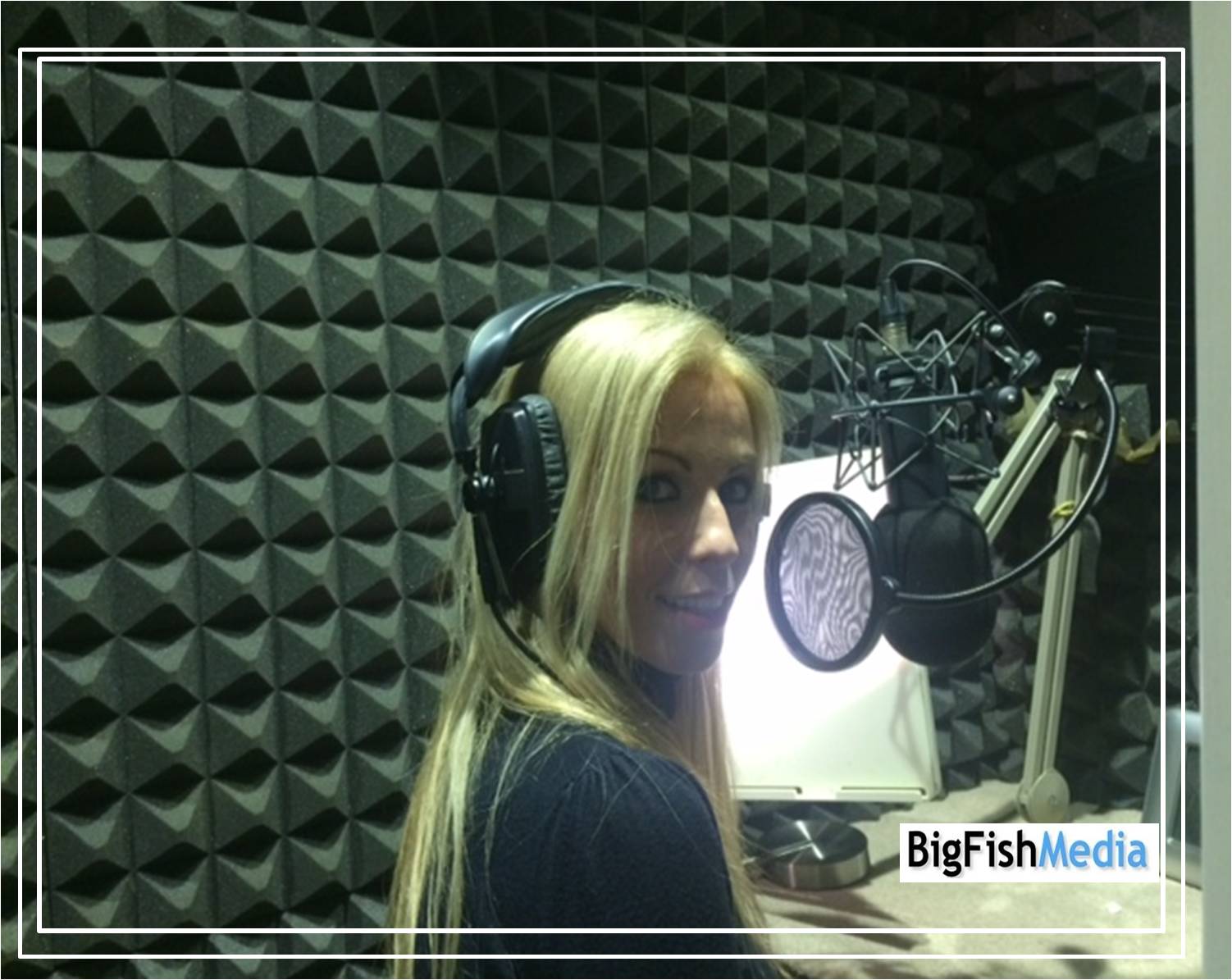
Over the past 15 years we have worked on hours and hours of audio and produced audio projects for clients ranging from corporate videos to fun commercial sounds and even long form narrative video game content. With a team of six sound engineers we pride ourselves on being able to bring copy to life. But how do we produce this audio using one of our many voiceovers on our books?
Firstly we look at the script and ask what the client wants in terms of a voice. They can either have some suggestions that fit in with their brand ethos and we can shortlist a selection of voices to that. Or we can supply demos when a client wants to listen to hear what different ages and voices would sound like to specific copy. We also tend to cast voices when a client leaves the decision to us. We read the copy, understand the clients target audience and then make a selection of the voices based on those choices.
Once we have an agreed and signed off script as well as a signed off voice we check in with everyone's availability. We love having our clients listening in on sessions and directing if they want to. We encourage them to listen in as we feel that it gives a better experience and a better final audio product at the end as they are listening live and can ask for safety and other takes as well. Our engineers are also skilled directors and can encourage the voices and speak their language so that clients get the best performance from them.
Once the session time and date has been agreed we ensure that our equipment and studio is ready for the voice. To voice copy is hard work. Recall presenting in front of people or talking for long periods. That is similar to working in a voice over studio. We ensure we make the voice as comfortable as we can with water, regular breaks and a seat should they need it. We set the microphone and video to the height that the voice over artist needs as well as ensuring all parties have the correct copy of the script.
Once in a session we take the time for the voice and client to get to know each other and then talk to the other one so they understand the style, tone and pace. After a demo take we go for a full take and record each take. We have delivered projects that have all the takes so that the client can have many options or in some cases we deliver the winning takes as the client wants one final finished product. Either way we can deliver.
The use of the voice over track really emphasises what a client is trying to promote, be it a brand, project or service or procedural process. We love audio and we encourage all our audio clients to work with our voiceovers for a unique audio production. Please get in touch to book.
Showing posts with label Production. Show all posts
Friday, 26 July 2019
Wednesday, 4 July 2018
How do I get the best performance from a Voiceover Artist?
Today we had a fantastic session with a client and voiceover artist. Maybe it was the stars being aligned, maybe it was the summer weather or maybe it was a collaboration with all parties completely on board with the objective.
The session was like any other session here at the Big Fish Media HQ. The client had sent the final signed off script over a week before and on checking on the voice actor's availability booked them.
When the time came, the voice-over was in the booth, already prepared with script and annotations in the margins. They had read the copy and understood the emotional position, the pivot point and the aim of the copy.
Being able to lift of all the nuances of the content and convey that to an invisible audience is quite a talent and one that our voices are able to do with ease.
The client was also on hand and understood the copy and what they needed from the voiceover artist. They had written the copy so that it made sense to speak and had directed sessions before.
As with every voice over session, our duty engineer asked the client to go through the aim and objectives of the video production so that the voice would understand the voice over genre.
Despite a technical script both client and voiceover developed an emotional intention that was perfect for this job.
Why was the session such as success ensuring both voice and client were happy with the results?
1. Timely and Signed off Scripts : In this way the client can be sure that they have the final version which is necessary for the voice to practice with. Too many changes late on mean that everyone gets confused and mark ups can lead to more confusion.
2. Voice actor talent : Quick to inform of their availability and as they are both talented and professional, they know how to prepare for a session, with breathing exercises as well as sight reading skills.
3. Client communication : The client understood how sessions work and what words and emotional stances the voice needed to hear to place their voice in that role.
The result? A great session with all the takes the client was after in the time they needed. The voice over was happy as they were able to add in their years of experience of this technical subject and know how to elevate the copy from just reading to story telling.
If you would like to have one of our voiceovers to engage your target audience with your brand, product or service then please contact us - we would be happy to help!
The session was like any other session here at the Big Fish Media HQ. The client had sent the final signed off script over a week before and on checking on the voice actor's availability booked them.
When the time came, the voice-over was in the booth, already prepared with script and annotations in the margins. They had read the copy and understood the emotional position, the pivot point and the aim of the copy.
Being able to lift of all the nuances of the content and convey that to an invisible audience is quite a talent and one that our voices are able to do with ease.
The client was also on hand and understood the copy and what they needed from the voiceover artist. They had written the copy so that it made sense to speak and had directed sessions before.
As with every voice over session, our duty engineer asked the client to go through the aim and objectives of the video production so that the voice would understand the voice over genre.
Despite a technical script both client and voiceover developed an emotional intention that was perfect for this job.
Why was the session such as success ensuring both voice and client were happy with the results?
1. Timely and Signed off Scripts : In this way the client can be sure that they have the final version which is necessary for the voice to practice with. Too many changes late on mean that everyone gets confused and mark ups can lead to more confusion.
2. Voice actor talent : Quick to inform of their availability and as they are both talented and professional, they know how to prepare for a session, with breathing exercises as well as sight reading skills.
3. Client communication : The client understood how sessions work and what words and emotional stances the voice needed to hear to place their voice in that role.
The result? A great session with all the takes the client was after in the time they needed. The voice over was happy as they were able to add in their years of experience of this technical subject and know how to elevate the copy from just reading to story telling.
If you would like to have one of our voiceovers to engage your target audience with your brand, product or service then please contact us - we would be happy to help!
Tuesday, 19 June 2018
How Should I behave in a Voiceover session?
With our fantastic voiceovers as well as our
great clients we school of fish here at Big Fish Media, pride ourselves on
running effective, targeted and quick voiceover recording sessions.
We are lucky that our voices are experienced and know how to take on every challenge from verbose direction to even power cuts – we’ve seen it all.
What should a voice do during a session?
When you are in a recording session in person or down the line
from another studio there are several golden rules.
1. Be
prepared – sleep well the night before, do vocal warms ups, drink water and eat
well. As you know you have a session that day, avoid going out the night before
(we can always tell), avoid milk and dairy produce, avoid chocolate and avoid
caffeine.
2. Be prompt – goes without saying but if you are going to be late
call or text or send a carrier pigeon to let us know. Arrive bright eyed and
bushy tailed.
3. Read
the script – if you can and you have got the script (which sometimes isn’t the
case – we know this happens) then please read it out loud at least twice to get
your chops around the words. If you receive the script there and then before
the session, get there early and read out loud as a level check for both the
engineer and you.
4. Listen
– yes our voices can read out loud but what they do most impressively is
actually listen, assimilate direction and then speak. Stop, think, speak. From
directions in a session to directions to a studio, stop and think and then act.
5. Be
nice – Nice? Yes, you are more likely to get repeat work by being both nice and
professional. This also means avoiding touching the microphone. Just. Don’t. Touch. It!
And one last thing, if you are sick or other wise indisposed
please let the clients know asap. We encountered an incident where the voice
was sick and couldn’t make the session. It took over 5 different companies and
over 10 people to sort out another voice for the end client. We have amazing
relationships to pull off such a feat but it could have been more easily avoided
if the original voice had let us know the day before instead of being late to
their session.
What should a client do during a session?
Many of our clients are experienced and know how to direct.
With others, we guide them as they may be inexperienced and not know how to
direct the voice.
1. Be
prepared – ensure that you have read the script or written it properly, we have
had many a session interrupted when the client reads the script or rather hears
it read by our voices and then realises it makes little sense.
2. Listen
– what should you listen for? Pace/style/overall melody. The voice should match
the tone of your brand and service.
3. Direct
– if you need to make a note for the voice then try and put yourself in their
shoes, how would you convey a change of pace/style? What words or images would
you use? How would you suggest picking up the pace but without it sounding too
fast?
4. Be
nice – being a good client ensures that the voice your use will want to do a
good job. They will do a professional job but being nice ensures they enjoy the
job and that will be heard on the recording session.
5. Use
the time wisely – you have an hour but how many takes are you after that you
can realistically work with? How many final Call to actions do you want in
different styles?
If you need one of our voiceovers and you think we can help then just call us.
Wednesday, 6 June 2018
What does an Audio Engineer do?
We have a small school of sound engineers. They
interact daily with voices and with clients ensuring the highest quality audio
for voice over recordings. But what exactly does the sound engineer do?
They are the oil in the voiceover machine. They are the cogs that ensure that more than the tech stuff works. They are the gel in the voiceover salon of quality.
A sound engineer is charged with endless abilities to ensure
that the audio for the client is professional and archives more than the client
needs.
They need to be technically skilled in operating the desk with all its various faders and combinations. They need to understand what needs the client has so that the best audio and performance works for them.
They also need to talk to the clients and voices to ensure that the narration is better than best. But what else would they need? Below is a list of a few things that make a sound engineers day.
They need to be technically skilled in operating the desk with all its various faders and combinations. They need to understand what needs the client has so that the best audio and performance works for them.
They also need to talk to the clients and voices to ensure that the narration is better than best. But what else would they need? Below is a list of a few things that make a sound engineers day.
1.
Headphones: here at Big Fish Media we use the
audio workhorse Beyerdynamic DT 100 Headphones. Closed back for no audio
seepage and reliable. We have them all over the office as well as in the recording
booth for tip top listening.
2.
Good chair: an essential item for a sound
engineer. They spend a long time recording and editing everything from commercials to video productions to IVR for well known multinational companies so a comfy
chair is key. In fact anything to make their work environment attuned to
working comfortable so they can achieve audio magic.
3.
Good ears and fast fingers: Sound engineers are always on the listen out for sound. From breaths to blips to mouth noises, they are the gatekeepers of good audio. They are the hum hunters hearing out any quirks or mishaps and always ensuring they can get a safety take. They have fast fingers, playing the desk and keyboards like a Beethoven of the Beats.
4.
Fast thinking: Recording audio and especially voiceovers requires a high level of concentration. Not only are our sound engineers listening out to what works and what doesn't for a client but also adapting fast to an ever changing situation. Clients often want to hear takes back and the engineer needs to be on it to assess which take is wanted and what part of that take fits well with the other take.
5. Director: Sound engineers need to be exceptionally engaged to have the confidence to stop a session, suggest pick ups and time checks with the client as well as ensuring the voice understands what the director and/or client wants.
If you would like to get in touch with our team of studio engineers making our voiceovers sound exceptional contact us today
Wednesday, 23 May 2018
What do Voiceover Directors do?
Our 2000 voiceovers have heard all sorts
of direction in our countless voice over recording sessions over the years. In order to cover
all of the clients bases our voiceovers deliver fast, slow and in
between reads in any emotional style they may be asked to deliver.
We hear all sorts of notes from directors and clients. Notes are there mostly because a few reads may be necessary for commercials to fit the images.
They may also be given as the director or client may have a different cadence or pace in their head. At times it could just be that they have an hour or two in the session and want as many options as they can get for any “just in case” scenario.
We hear all sorts of notes from directors and clients. Notes are there mostly because a few reads may be necessary for commercials to fit the images.
They may also be given as the director or client may have a different cadence or pace in their head. At times it could just be that they have an hour or two in the session and want as many options as they can get for any “just in case” scenario.
Here are some of our favourites and how to approach them.
1. Read fast but make it slow
This usually happens because the copy is a
little too long. In a 30 second advert situation it means that the read comes
in at 34 or 36 seconds with a good pacey read. What can be done? Speed
everything up? Taking out breaths? In reality it depends.
In post-production, yes breaths and pauses and other spaces can be taken out and edited but for a good read maybe some parts. And maybe some script trimming so the voice over works.
2. Make it more conversational
Ah this old chestnut. In many cases the
director is after a fluent, non announcer type read and wants the deliver to be
very human. An announcer read is the over the top radio style read that was popular
back in the day.
For those that recall, this read was all the rage from the 70’s onwards and peaking around the 90’s. It can be hard as professional voices will often have an announcer voice in their vocal tool kit and bring that out when the mic goes live.
However the best voices are the ones who know the conversational read, which is simply being authentic and real and deliver it when the director says to bring it on.
For those that recall, this read was all the rage from the 70’s onwards and peaking around the 90’s. It can be hard as professional voices will often have an announcer voice in their vocal tool kit and bring that out when the mic goes live.
However the best voices are the ones who know the conversational read, which is simply being authentic and real and deliver it when the director says to bring it on.
3. Give me two different reads
Many voices question why two very different
reads are needed in a session. Simply comes down to choice. It might be that
one delivery is fine but 99.9% of the time the end client will ask, oh do you
have a version in a different delivery. And that is when the client can pull
out another version. Two different reads, covers all the bases just in case.
4. Could you sound more taller/smaller/older/younger?
This is an interesting piece of direction.
What does it actually mean? In many cases, they are just after another read,
something similar but different. As many of our voiceovers are actors or used
to working with characters, this can be a helpful piece of direction to get
into a character a bit more.
Maybe your normal voice or cadence is too youthful or old for the market place they are pitching the voiceover for. Some a change is called for. Just mix it up.
5. Other strange directions include…..
“Could it be more orange please” “Hmmm maybe do it as if you were a vampire” “make it seem as if the world were gently flowing
around you as you escape from the vortex” “Read it as if you are Luxury British”
– no we aren’t too sure what these mean either.
Wednesday, 16 May 2018
What do TV Continuity Announcers do?
There you are, at home, just about to start
watching your favourite show Murder She Wrote featuring the fabulous Angela
Lansbury (well at least we here at Big Fish Media HQ are). However you can’t
recall if you have seen this particular episode. Help is on hand with the
informative voiceover - the voice of the continuity announcer
A little like the voice of God, the continuity announcer is that voice that informs you of what is coming up, a short breakdown of the episode or programme.
As it does inform you of what is coming up next this is especially helpful to know if you should make dinner or pour out a cup of tea to watch it instead.
A little like the voice of God, the continuity announcer is that voice that informs you of what is coming up, a short breakdown of the episode or programme.
As it does inform you of what is coming up next this is especially helpful to know if you should make dinner or pour out a cup of tea to watch it instead.
This voiceover role is fun but with a
weighty responsibility and a lot of work. The voice will indicate what is
coming up next and then close a programme.
Those chosen to take on the mantel of TV continuity are highly skilled and multi-taskers. They have to watch oodles of programmes before they go on air and get creative to sum up episodes without ruining the plotline and fitting it into a short amount of time.
The voices tend to write their own timed
scripts, watch for the time they need to open their mic as the programme
credits roll, talk and then settle back to wait for their next live mic moment.
It can be very creative to work on a tight time script and continuity announcers are chosen for their ability to work well in a crisis.
There are times when a breaking news story
will interrupt programming and announcers have to think quickly but maintain a
sense of calm.
Programme schedules will change very quickly and the continuity
person will have to ensure they keep up to speed with the changes and work
around that. We are lucky to have several of the major broadcasters continuity
announcers on our books and they are a joy to work with.
They are time fiends and can easily make long reads fast but sound slow and make slow scripts sound fast. These voiceovers do it day in and day out. If you would like to work with some amazing narrators, then please get in touch.
Wednesday, 4 April 2018
Why Should I use IpDTL for Voiceovers?
ISDN, Source
Connect, Skype, Phone patch and IpDTL. There is a whole list of services that
we use as a recording studio for our voiceover projects with clients. However the one we find ourselves use more and more on
a daily basis is IpDTL.
So what
exactly is it? How do you pronounce it? And how can you make it work for you?
IpDTL is an
internet based communications provider that allows you to record almost perfect
quality audio in various locations. As an ISDN replacement it works rather well.


IpDTL is an
acronym and stands for Internet Protocol Down The Line. It is a bit of a
mouthful but as our voicevoers are a talented school they can narrate the name
easily.
We have often called it IpDittle – to be quick but there is something
to be said articulation wise to actually saying I P D T L. If ever there were consonants
and a vowel to make you work the mouth muscles, these are them!
We use ipDTL
with our voices and clients as well. It makes live recording easier, clearer
and cleaner. After much tweaking we find the best way to use it is to open it
with Chromium as opposed to Explorer or Chrome itself.
We simply send a link, people connect and voila – great connection, with little or no latency and a much more solid ISDN alternative. Just the thing when we are recording our voiceovers.
We still have ISDN but ipDTL works well for us our voices and our clients. Simple, easy and effective and we have been using it for four over years and we find it a worthy service.
We simply send a link, people connect and voila – great connection, with little or no latency and a much more solid ISDN alternative. Just the thing when we are recording our voiceovers.
We still have ISDN but ipDTL works well for us our voices and our clients. Simple, easy and effective and we have been using it for four over years and we find it a worthy service.
Using ipDTL
is easy as pie (hopefully not a fish pie though). Simply go to the website,
select your best option and away you go. For versatile voiceovers, it’s a great choice.
Wednesday, 28 March 2018
What is IVR?
Another
genre of voiceovers is the growing use of the human voice when dealing with a
phone system.
Interactive Voice Response (IVR) and On-Hold are used to describe tecchnology that allows a telephony system computer to interact with the customer through the use of voiceovers.
In the past customers would have had to talk to a switchboard operator or to a reception and have their call re-directed. If the phone were engaged with another call, then they would only hear the engaged tone.
As technology moved on companies wanted to ensure that they could efficiently deal with customer inquiries as well as offering a personal touch. The aim is to avoid the customer floundering and knowing where they should be going next audiowise.
Interactive Voice Response (IVR) and On-Hold are used to describe tecchnology that allows a telephony system computer to interact with the customer through the use of voiceovers.
In the past customers would have had to talk to a switchboard operator or to a reception and have their call re-directed. If the phone were engaged with another call, then they would only hear the engaged tone.
As technology moved on companies wanted to ensure that they could efficiently deal with customer inquiries as well as offering a personal touch. The aim is to avoid the customer floundering and knowing where they should be going next audiowise.
With IVR the
technology is able to decipher the caller’s speech or touch response and
directs the call as needed. Voices are used to enable the customer to hear
choices and give clear answers so that the technology can direct them as
needed.
The voices that are chosen reflect clarity, an engaging tone and friendliness. Products, brands and services tend to choose a voice that is reflective of their brand. It will be the first time many clients will interact with that brand so the voice is key to maintaining that brand umbrella.
On Hold differs from IVR simply as it does what it
says, the moments that the customer is on hold is an opportunity for branding
and interaction. As the customer waits on the line, music and/or conversation
is played for them while they wait to transferred or held in a queue.
The on hold messaging can provide important information to the caller such as a change in the company’s location, opening hours, new products, latest news and more. Humour or entertaining messages can be used to keep the client on the phone.
These can be very creative for sound designers and we work on these daily and write our own scripts with up to date news as well as fun news stories and weather updates. Ricky often voices these as he is an experienced newsreader – but you know that anyway.
The on hold messaging can provide important information to the caller such as a change in the company’s location, opening hours, new products, latest news and more. Humour or entertaining messages can be used to keep the client on the phone.
These can be very creative for sound designers and we work on these daily and write our own scripts with up to date news as well as fun news stories and weather updates. Ricky often voices these as he is an experienced newsreader – but you know that anyway.
Don’t leave
your customers with a chance to miss out on the key points of your voiceover business,
service or product. Leave them informed and happy to have dealt with you.
Wednesday, 21 March 2018
What is an Explainer Video?
A
recent voiceover and video trend over the past decade is the rise of the explainer video. This video is as the
name suggests, explains a brand, product or service to the viewer in a short 2D
animation format.
The style can be as simple or as complicated as you require depending on what information and needs you want to convey. A voiceover which acts as the brand, product or service representative is there to connect the dots that visually appear in a verbal manner.
The aim is to explain to the viewer what the brand, product or service can offer in a clear and concise way.
The style can be as simple or as complicated as you require depending on what information and needs you want to convey. A voiceover which acts as the brand, product or service representative is there to connect the dots that visually appear in a verbal manner.
The aim is to explain to the viewer what the brand, product or service can offer in a clear and concise way.
The video is
usually embedded on the client’s website and/or youtube or other social media
channel. As the rise of youtube in search functionality and SEO becomes more
important we are seeing an increase in the production of these voiceover led
explainer videos.
Google has made it crystal clear that your company, service or brand will be favoured upon in search functions if there is a related business video and they would be in the know as they own YouTube.
These days according to Google, more and more people are using youtube as a search function. It is important to note that this video usage on a clients website is different than if and when it is used on their youtube channel.

Google has made it crystal clear that your company, service or brand will be favoured upon in search functions if there is a related business video and they would be in the know as they own YouTube.
These days according to Google, more and more people are using youtube as a search function. It is important to note that this video usage on a clients website is different than if and when it is used on their youtube channel.

The video
aims to explain and inform the brand, product or service but it is not an
advert. If the explainer video explains
then the advert entertains. The advert
is much more a conceptual piece or visual art and the explainer video spells things out a lot more.
An example would be for a smart phone. The advert would be sleek, entertaining and informative showing off the phone and its key unique selling proposition. The explainer video would a step by step guide about how to use the phone, what it does, how it works etc. Our voiceovers understand the difference – do you?
Explainer
video maybe animation driven but
this is different from animation videos/work as per below. Voices used are
generally engaging, professional and confident yet friendly. An offshoot to this are the myriad of
corporate or B2B videos that are also popular. These are similar to explainer videos
except they are range from being more informative and about the company.
They often show a brand, product and service but are not likely to be a “how to” video which most explainer videos are. We excel in this type of genre as all our voices are very experienced in corporate narration. Examples include videos shown at conferences, in company presentations, from one client to another.
You may have seen these in dentists/spas/hairdressers where you see videos showing off the technical product. They are not adverts (see first entry) as they are for a specific business to attract.
They often show a brand, product and service but are not likely to be a “how to” video which most explainer videos are. We excel in this type of genre as all our voices are very experienced in corporate narration. Examples include videos shown at conferences, in company presentations, from one client to another.
You may have seen these in dentists/spas/hairdressers where you see videos showing off the technical product. They are not adverts (see first entry) as they are for a specific business to attract.
Do you want to have one of our voiceovers explain your brand, product or service? Give us a call and we can cast and reel in your voice.
Monday, 19 February 2018
Why should I book Voiceovers with BigFish Media?
We live in a busy world with time pressures and deadlines all
around us. If you are a video producer or any other creative then time is a
luxury.
That is where we come in. Our clients say the following things
to us;
1.
So many voices – how do I choose when I have so little time?
We make it easy for you to select a voice
tailored to your audience and production. If you are after consistently great
voices that understand and deliver then drop us a line.
2.
The production needs to be delivered asap & we still don’t have
a voice – help!
We are your Voice Godmother and we know voiceovers that are available instantly and ready to go at a moment’s notice. Do you need to record a voice today? Not an issue - we have the solution. We have at least 2 voices (male and female) primed to record daily.
3.
The process takes ages with so much back and forth – what can I do?
Simples – just let us know and we can take
care of it. We have in house voices that are around and many of our voiceovers are recording daily so we know they are available.
4.
We need scripts in 4/5/6/7 + languages – can you do that?
Yes because not only do we have voices but
we also have translators who can properly translate text into and from
various languages.
5.
Anything else?
We are a friendly fun team who have a
slight obsession with fish. But you probably already knew that.
Monday, 19 June 2017
How do I keep cool in my Voiceover booth?
Another day of the Great UK Heat wave 2017. The Big Fish Team has been
working away making sure we deliver professional voiceovers to our many
clients. However in this heat that we are experiencing we have some advice for
them and everyone recording in such temperatures.
1. Keep
hydrated
Our voiceover talent keep hydrated by
drinking over 2 litres of water on a normal day. Now in this heat wave when we
are hitting over 31 degrees Celsius drink much more water. Heat stroke and
headaches may occur through lack of water. The booth can get hot and sticky so
take regular breaks and ventilate the booth well.
2. Keep
cool
Use ice packs on the back of the neck and
on the wrists to keep you cool. Or take a tepid to cool shower. Wear
comfortable clothes to record that will keep you cool in the booth. Layering
will be the answer for changes in temperature during reads.
3. Keep
your cool
Yes, we know it’s hot, we know its sticky,
we know its sweaty but try and keep calm and cool as a cucumber while in the
booth. Take a deep breath, get another ice pack and we’ll take it from the top.
4. Keep
the equipment cool
Yes the desk, the kit, the mic and computer
fans can over heat even more quickly in this heat. Keep them cool by using a
fan, closing curtains so the sun doesn’t heat up the booth or studio room.
5. Protect
yourself outside
Even when out and about, protect yourself.
Sun cream, covering up with a top and hat and sunglasses will protect you from
the sun. And if driving, cover the steering wheel or seat so you avoid burning
your hands.
And when the day is over, treat yourself to
some ice lollies, ice creams or a nice Long Island Tea with plenty of ice and
listen to our voiceovers to keep you cool, calm and collected.
Friday, 28 April 2017
How do I self-record a Voiceover on an iPad or iPhone?
So, you have a voiceover audition coming up. Lets imagine, you need to record a voice sample for a potential job quickly and all you have
is your iPhone and / or iPad.
You don’t have the time / money to book a studio just for an audition, for a job which you may or may not get.
You could record yourself on the phone, using the built-in
mic, but the end result will not do your voice justice.
You could go and buy a portable digital recorder such as the
Zoom or Edirol. These are great, but you then have to transfer the audio to a
computer before sending.
A great alternative is a high quality microphone attachment
for your iphone or iPad, such as the RODE i-XY with lightning connection (there
is also a 30 pin version for older iPhones)
Using the Rode i-XY and the Rode Rec app you can record and
edit audio, then you have a choice of ways to transfer that audio straight from
the phone via File Sharing. Email, FTP, Dropbox or Soundcloud. This is an
advantage over the separate flash recorder with USB card.
When you are living in a Battersea bedsit that costs £1600 a month, you are probably doing all your business on a smartphone and or tablet. With the Rode mic and App you can record, edit and send, all on the phone and very quickly.
If you are in the world of voiceover, speed can be important. If you were out and about and your agent or a client requested a voice sample to be done within the hour, with this you could find a quiet enough space and make a recording in next to no time.
When you are living in a Battersea bedsit that costs £1600 a month, you are probably doing all your business on a smartphone and or tablet. With the Rode mic and App you can record, edit and send, all on the phone and very quickly.
If you are in the world of voiceover, speed can be important. If you were out and about and your agent or a client requested a voice sample to be done within the hour, with this you could find a quiet enough space and make a recording in next to no time.
I own the Rode i-XY and the Rode Rec app and I have found
them to be excellent. The mic attachment is not cheap at around £150, but it is well worth the
money and has paid for itself in just one voiceover job.
Thursday, 27 April 2017
Who is responsible to make sure a Sync Voiceover fits?
We often get localisation voiceover recording
jobs. That is, those scripts that have been originally written in English and
have accompanied a video which it fits perfectly time wise.
Now, when it comes to recording say, the German voiceover for that
same video, we often find that the German translation is too long for the
video, due to ‘text expansion’ as its know in the translation world.
Basically, in some languages, more words are needed to say the same thing as in another language. In the case of German translated from English it can be up to 35 per cent longer.
What usually happens is that the client only realises this
when it comes to recording and we end up wasting expensive in-session time
re-writing the script on the fly in an attempt to make it fit.
This is less than ideal as the proper time and consideration can’t be given to script changes during a session.
It would be better if these things were sorted out before
the session. But whose job is that?
A client will usually use a translation company, who do a
literal translation. We called a company who told us they cannot translate to
picture, i.e. they cannot make sure the translated script fits the video as
this would be "copywriting".
This is understandable as it would require changing the
script from the written English. This isn’t something you would do without
consulting the client.
As many translators are freelancers working from home doing a literal translation of a document they have been sent, it’s unlikely they will even have the details of the client.
So what is the answer to this common voiceover problem?
Labels:
Production,
Services,
Top Tips
Location:
Woking, UK
Wednesday, 12 April 2017
What do the buttons on a Mixing Desk do?
Anyone who has ever had any association with the world of Audio or Voiceovers will have at some point come across something similar to one of these:
No that's not the cockpit of the Millennium Falcon, but our new Mixing Desk and a staple in Recording Studios around the world.
We have just upgraded our studio desk (to the above) to allow us to more effectively and efficiently record our voiceovers.
I thought now would be a good time to speak about approaching new mixing desks for the first time and facing any anxiety that they may conjure up.
The most common phrase I hear when people are first confronted with a mixing desk is usually:
"How do you remember what all of those Dials, Buttons, and Faders do!?"
In actual fact there are only a few features on all desks that you need to remember, regardless of how big or small they are. Once you understand these you will be able to apply them to most of the desks you come across.
Our desk, the Soundcraft Signature 22 has 22 Channels, as its name implies. This means that the desk has just 18 Channel Strips (given that four of the 22 are Stereo Channels).
While you may be thinking that I am making this sound even more daunting, the number of Channel Strips is in fact completely uncorrelated to the complexity of understanding the Desk.
In the above picture highlighted in yellow is a single Channel Strip and as you'll notice, all of the Channel Strips around it are identical (the different coloured Knobs & Faders are there simply for our own ease of use and all serve the same purpose).
This is why understanding mixing desks is a great deal less daunting than it first appears; Once you understand one... You understand the rest!
Starting from the bottom of the Channel Strip you have the Fader. These control level of the source (Playback or Recording depending on your routing). At the top of the Fader you will notice three buttons; these determine where the output of the Fader goes. For example we have ours setup to route to Headphones, Speakers & our DAW to record. The Mute button, Mutes the output of the Fader (which we use frequently in a more complex Minus Mix scenario that I will refrain from delving into) and above that we have a pan knob.
The next block of Knobs are known as Aux Sends, and on our desk we have 5 per channel. These allow us to send audio from one channel to another. This is particularly useful in our setup as our sessions often involve a number of different sources of voice talent and Clients.
For example, we have an Aux dedicated to our Booth, ISDN, ipDTL, Skype and the Telephone so that we are able to send the VO and Clients to and from each other at varying levels depending on their location, so that they can communicate as if they were in the same room.
Above the Aux's are an EQ section which allow us to balance frequencies when necessary, and lastly there is a Gain trim, which means we are able to make fine adjustment to the recording level of our Voiceovers.
And that's it... That's how we remember what all those Dials, Buttons and Faders do to give you the perfect voiceovers every time!
Labels:
Equipment,
Production,
Top Tips
Location:
Woking, UK
Subscribe to:
Posts (Atom)